USATII / EDITOR
Edit faster without giving up control.
USATII Editor brings the timeline, motion graphics, subtitles, audio cleanup, and final export into one macOS application.
It is built for editors who want faster routine work without giving up direct control over clips, timing, sound, text, or delivery settings.
Watch the product demo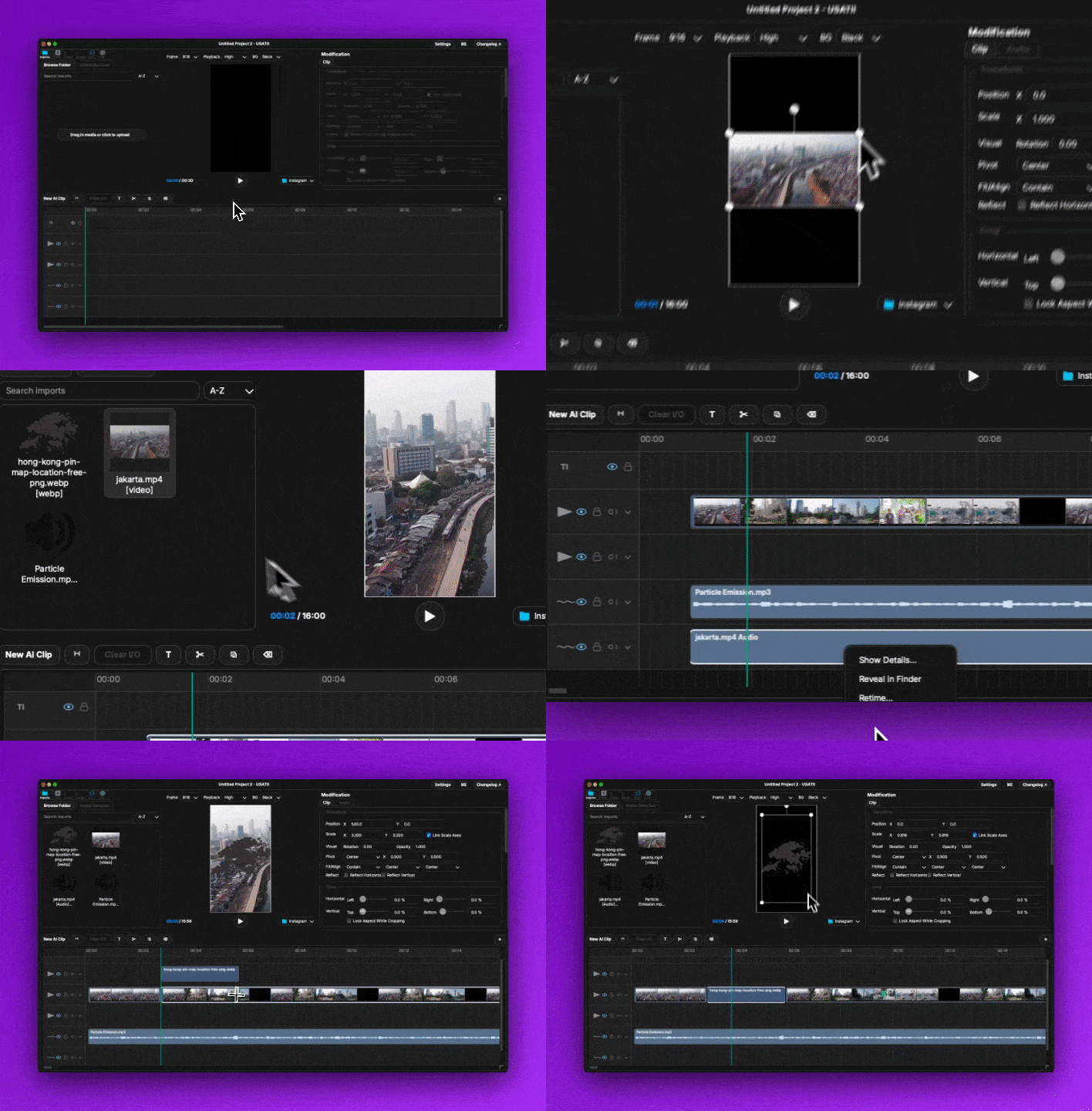
01 / PRODUCT DEMO
Written direction becomes editable media.
This clip began as a written request for a shrinking circular chart that shows profit loss. Editor rendered the animation as a clip that can be timed, layered, transformed, and exported with the rest of the project.
02 / WORKFLOW
One project from import to final file.
01
Bring in the footage
Add a folder or individual media files, search the import list, switch between list and grid views, and relink a file if it moves.
02
Build the cut
Place clips on the timeline, make timing changes, add text or subtitles, and preview the full sequence or an individual clip.
03
Finish each clip
Adjust framing, crop, animation, color, playback speed, and audio from the inspector. Copy a finished appearance to another clip when it should match.
04
Export the result
Use Quick export for a prepared review file or Master export for final delivery. Choose landscape or portrait, H.264 or HEVC, quality, and frame rate.
03 / CAPABILITIES
The controls an editor uses every day.
Multi-lane timeline
Arrange video, audio, text, subtitles, and generated clips on separate lanes. Trim, move, duplicate, rename, and layer clips inside the project.
Prompted motion graphics
Describe the graphic you need, render it, and place the result on the timeline. Revise the prompt and render another version without leaving the edit.
Editable subtitles
Create subtitles from a video or audio clip, choose the language and words per subtitle, then edit every caption as a normal text clip.
Face Focus
Analyze a video and create framing keyframes that follow the largest face. Review, adjust, or remove any keyframe before export.
Clip controls
Set position, scale, rotation, opacity, crop, alignment, pivot, fit, reflection, and chroma key values from one inspector.
Audio repair
Remove noise, isolate voices, reduce echo, match loudness across selected clips, compress dynamics, and adjust tone.
Media search
Search royalty-free video and audio, preview the results, and import selected media directly into the current project.
Reusable color looks
Import .cube color looks, save them in the application, and control the strength of the look on each visual clip.
Project checkpoints
Create named points in the edit, return to an earlier checkpoint, and export a progress pack when another person needs to review the work.
04 / CONTROL
Every automatic change remains editable.
Keyframe timing
Add, update, delete, and jump between position and scale keyframes. Choose linear, ease-in, ease-out, ease-in-out, or a custom velocity curve for each segment.
Framing and appearance
Set crop values by side, lock the aspect ratio while cropping, choose contain or cover behavior, align the clip, set its pivot, or use chroma key controls.
Text that remains editable
Change font, alignment, wrapping, placement, and timing after a title or subtitle has been added to the timeline.
Sound inside the project
Preview and render custom music to a new WAV clip, view audio measurements, and continue editing the result on the timeline.
05 / DELIVERY
Export for review or final delivery.
Quick mode creates a prepared review file. Master mode exposes the format, encoding, quality, aspect ratio, and frame rate controls used for final output.
- MP4 and MOV video
- H.264 and HEVC encoding
- 16:9 landscape and 9:16 portrait
- Quick and Master export modes
- M4A, WAV, and MP3 audio-only export
- Selectable quality and frame rate
06 / USER REVIEWS
Reviews belong to the people who used the product.
Editor is still in private testing. We will publish attributed reviews here after testers approve their names, roles, and exact words for publication.
Private test group
Each published review will include the tester's name, professional role, and unedited statement. This section is ready for those entries once publication consent is recorded.
07 / ACCESS
Built for Apple Silicon.
The current application runs on Apple Silicon Macs. Request access if you want to test it with real footage and tell us where the editing process still takes too much time.